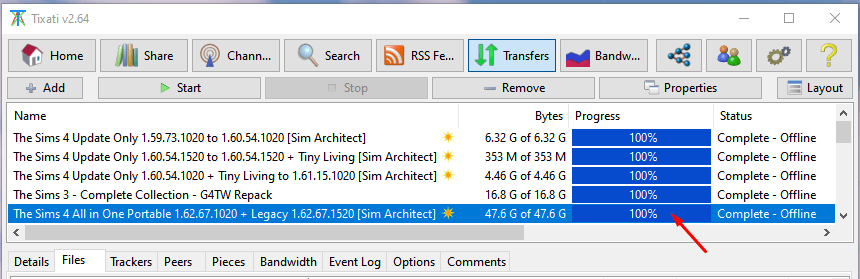
2. Download The Sims 4 All in One Portable 1.65.77.1020
⚠ Before starting, be sure you are allowed to use peer to peer networks to download files on your internet access! Sometimes your Internet Service Provider or your Network might not allow you to use Torrents or it may be unlawful where you live.
Using a VPN may help you, but it's not necessarily completely safe and no matter how good your VPN service might be, it can't hide all your digital breadcrumbs left by cookies and other information shared over the network by your devices, sadly, including your geo location!
The link above will take you to my Link Decoder Page...

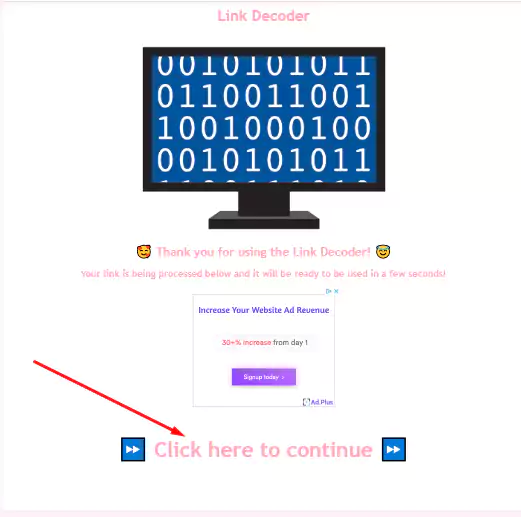
Once your download link is processed you'll just have to click on the link that says "Click here to continue" in the screen presented below.
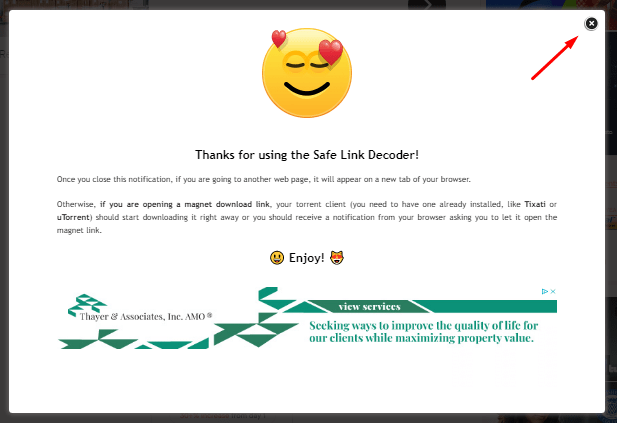
You'll be presented with the pop up below, which is there just in case whoever uses the link decoder doesn't know how to use it, you can close the pop up (or you can click on the ad if they are offering anything you might be interested in 😆).
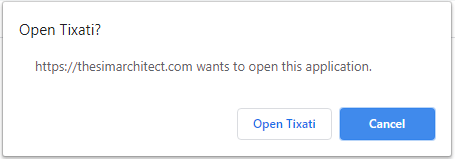
Once you open the magnet in your browser, depending on its settings, you might get the request for authorization below, if so, click on Open Tixati (or something similar if using another Torrent Client). If you're opening a downloaded version of the torrent you got from uTip (or any other method I use in the future) you won't get this dialog, since you'll be opening it on File Explorer instead.
Sometimes you won't be asked anything and you will just see a blank tab, but if you pay attention your torrent client will be open in the background. It might have already even have started downloading the game for you! 😊
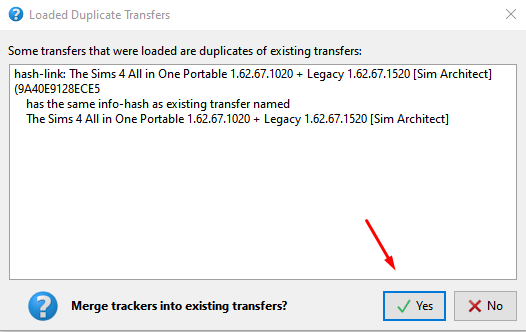
If you were already downloading the game before (or if, by mistake, you open it more than once) you might be presented with the dialog below, just click on Yes
Proceed to download and, once your Progress Bar is at 100%, your download is complete and you can move to the next page for the next step of this tutorial!