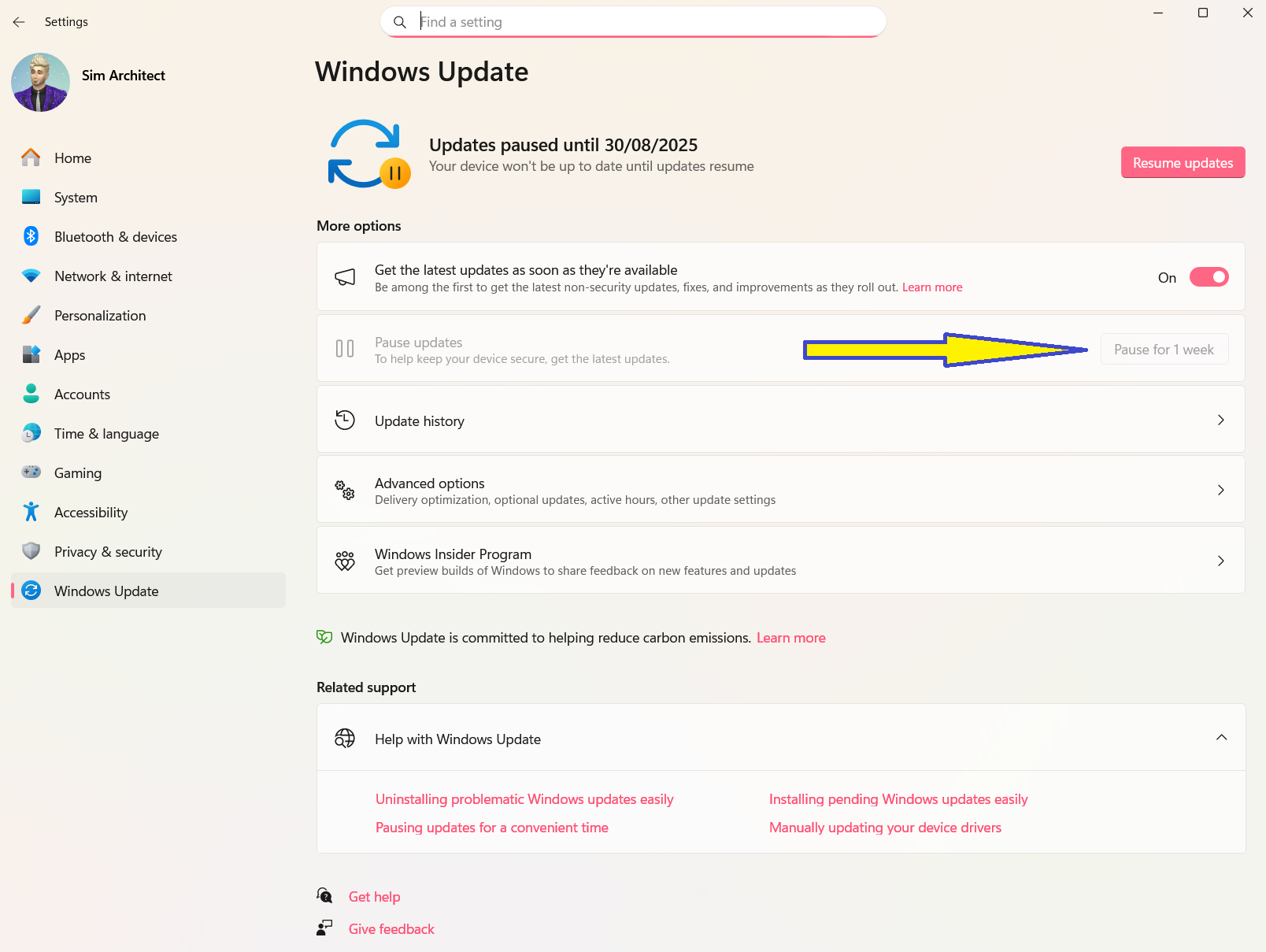
⚠️ Microsoft Windows 24H2 has a security update KB5063878 that may break SSDs permanently when you make large file transfers! 😱
Please, be mindful and, if possible, uninstall that update or avoid updating windows until the issue is fixed by Microsoft.
This is the link with official information on this update from Microsoft: https://support.microsoft.com/en-us/topic/august-12-2025-kb5063878-os-build-26100-4946-e4b87262-75c8-4fef-9df7-4a18099ee294
Update Note
Since this article was published, Microsoft has released subsequent Cumulative Updates for Windows 11 version 24H2, which contain all necessary security fixes and supersede KB5063878. While users should prioritize installing the latest update to maintain system security, Microsoft has officially stated that their investigation found 'no connection' between the August 2025 update and the reported SSD failures. Although no official fix has been issued, it is recommended to install the latest cumulative update and continue following best practices for data safety, such as backing up critical files and being cautious of extremely large, continuous file transfers on nearly full SSDs.
Gemini (Google AI)
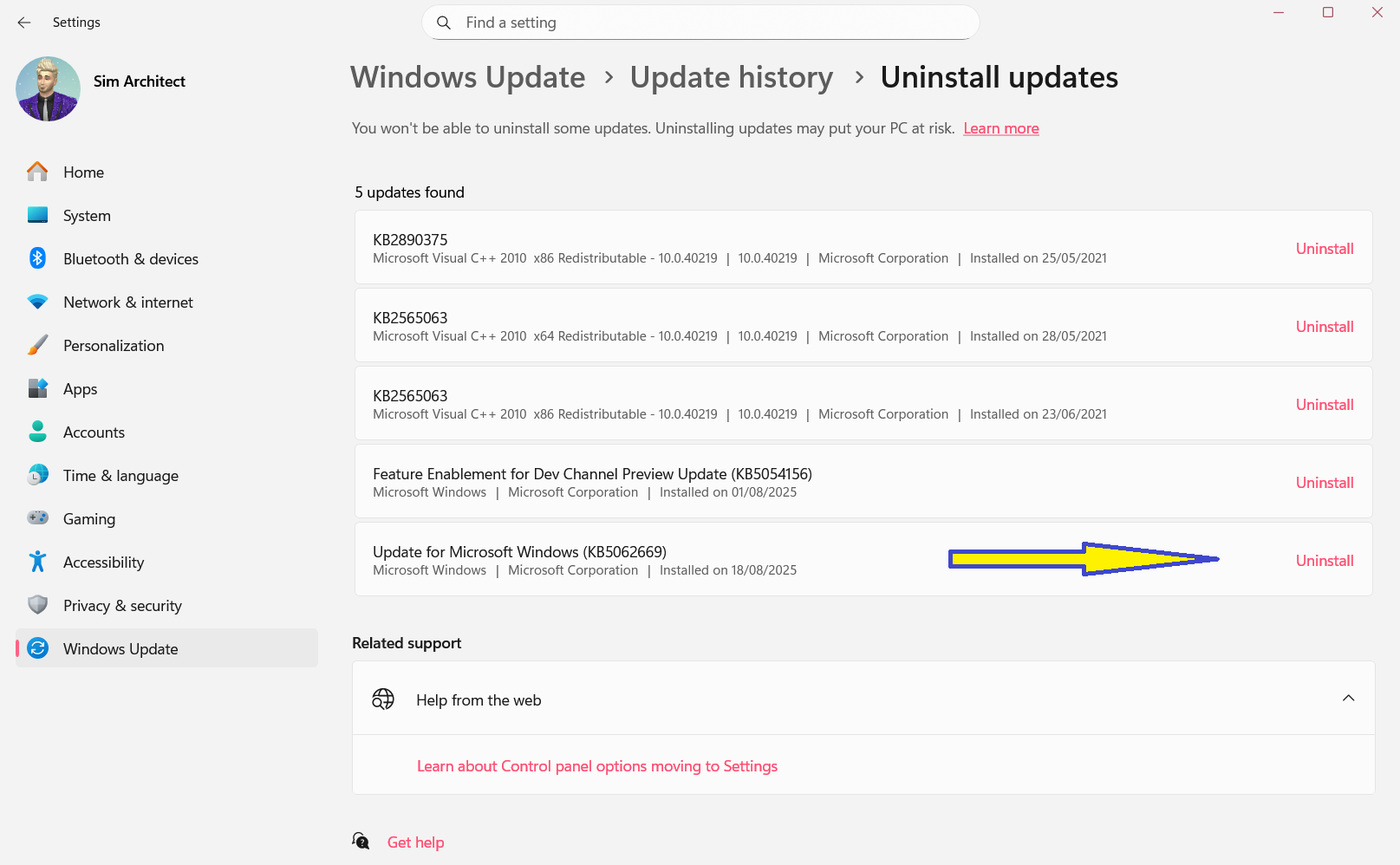
You can try to use "Settings, Windows Update, Update History..."
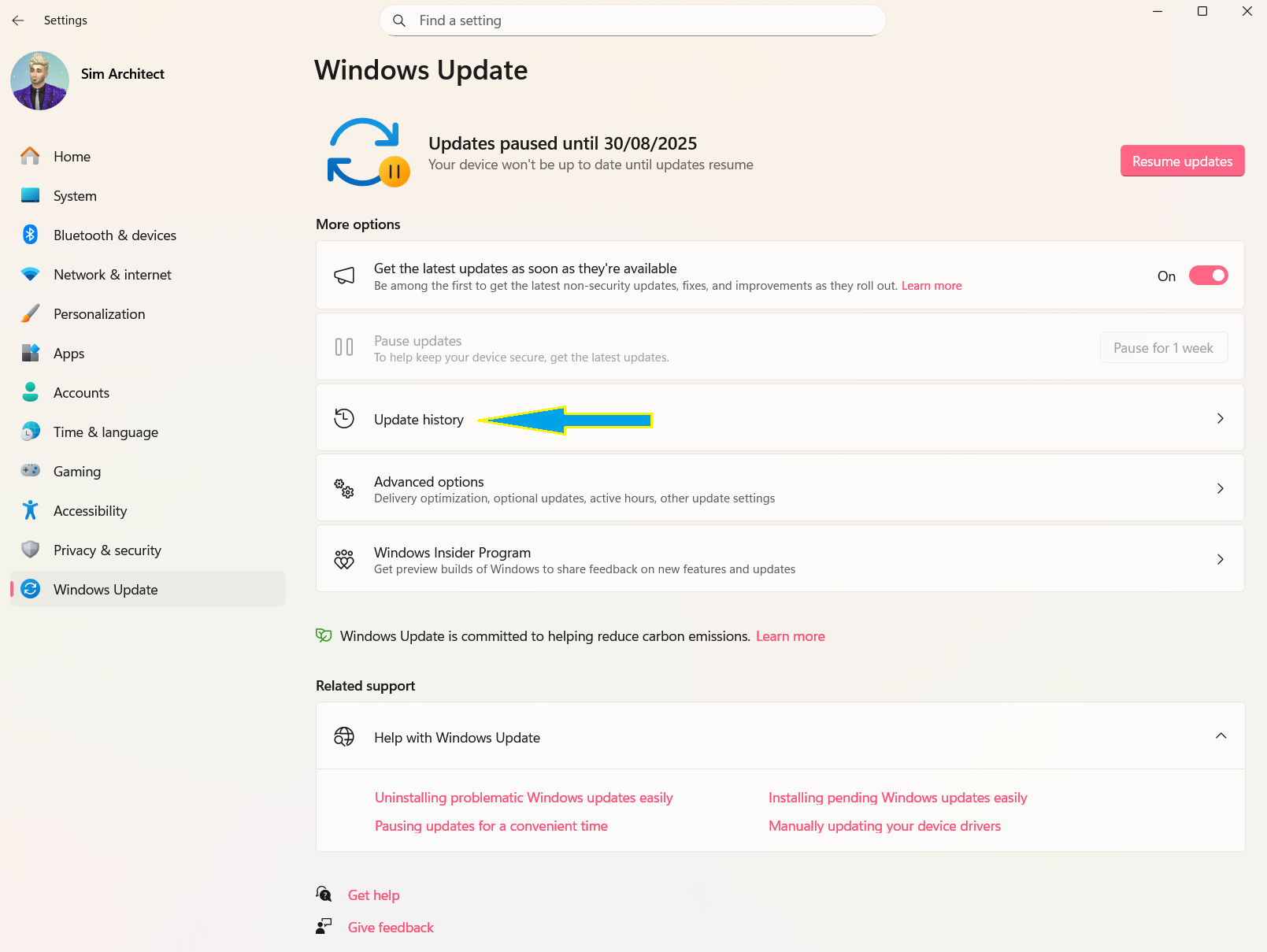
Then, click on "Uninstall Updates"...
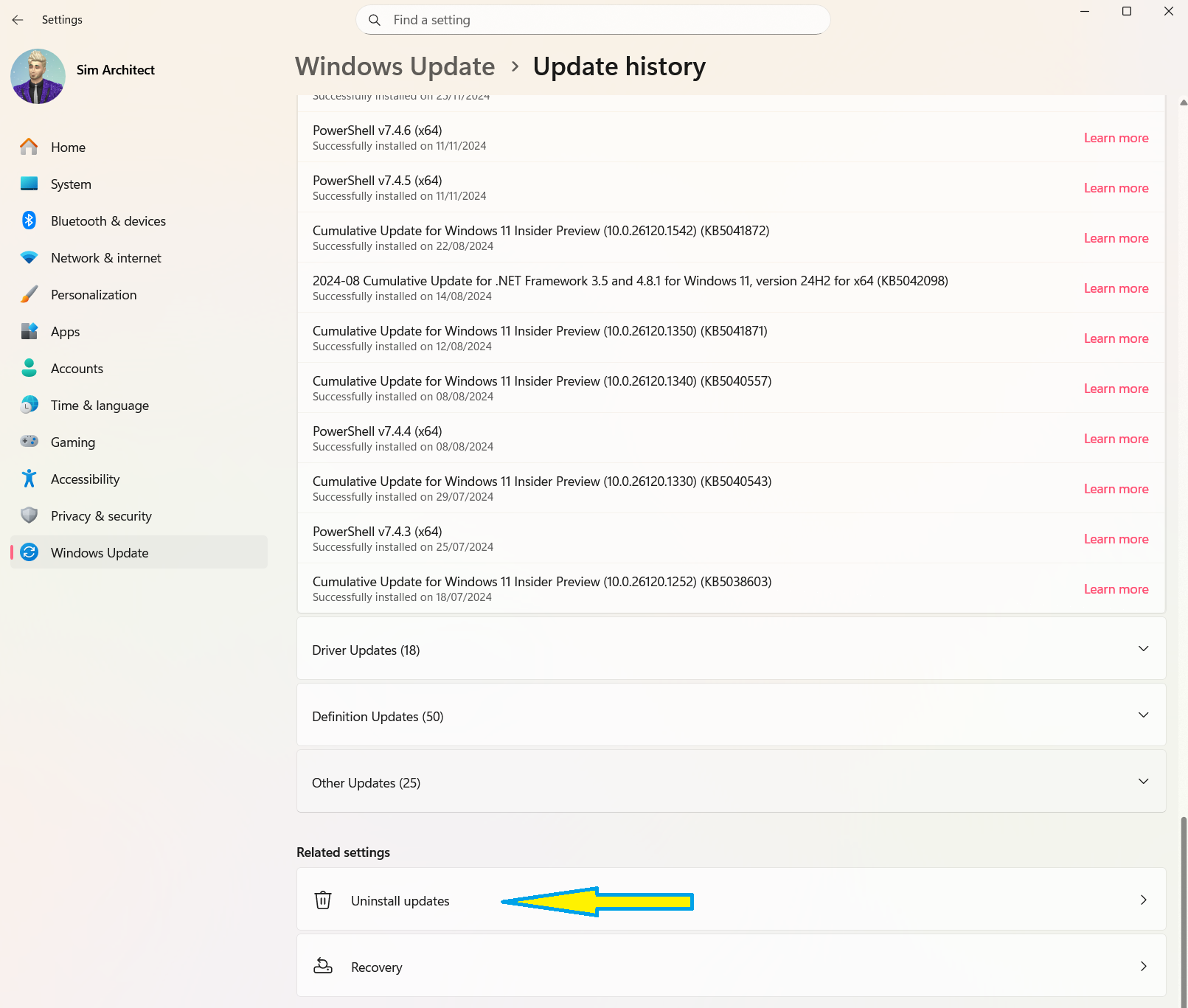
Check if the update is there. If it's available, uninstall it (not the specific one in my image below, it has to be the correct one, KB5063878, I don't have it, that's why I picked a random one to show you where to click) . Also remember to suspend updates until Microsoft figures it out.
Alternatively, according to official Microsoft instructions at https://support.microsoft.com/en-us/topic/august-12-2025-kb5063878-os-build-26100-4946-e4b87262-75c8-4fef-9df7-4a18099ee294#:~:text=If%20you%20want%20to%20remove%20the%20LCU, you can use the command prompt or PowerShell / Windows Terminal to check if it's installed and, also, remove it.
To list what you have installed (this list is much longer than the one obtained in the screenshot above), use...
DISM /online /get-packagesThe list won't show the KB number but will show the build numbers. Check if you have any update with the number sequence 26100.4946 and remove it using (you might need to adjust it, I don't have the package here, so I am using what I found online)...
Dism /online /Remove-Package /PackageName:Package_for_RollupFix~31bf3856ad364e35~amd64~~26100.4946.1.26Remember to turn updates off for a while (I can only suspend 1 week per time, because I use Windows Insider, you might be able to suspend it for 5 weeks at a time)...